Nursing & Medication Administration: the right dose, for the right patient, at the right time
In a single shift, a nurse handles dozens of doses, vital signs and tasks. Any error in patient identity, dose timing or dose calculation can reach the bedside directly. And information that isn't handed over clearly between shifts can be lost entirely.
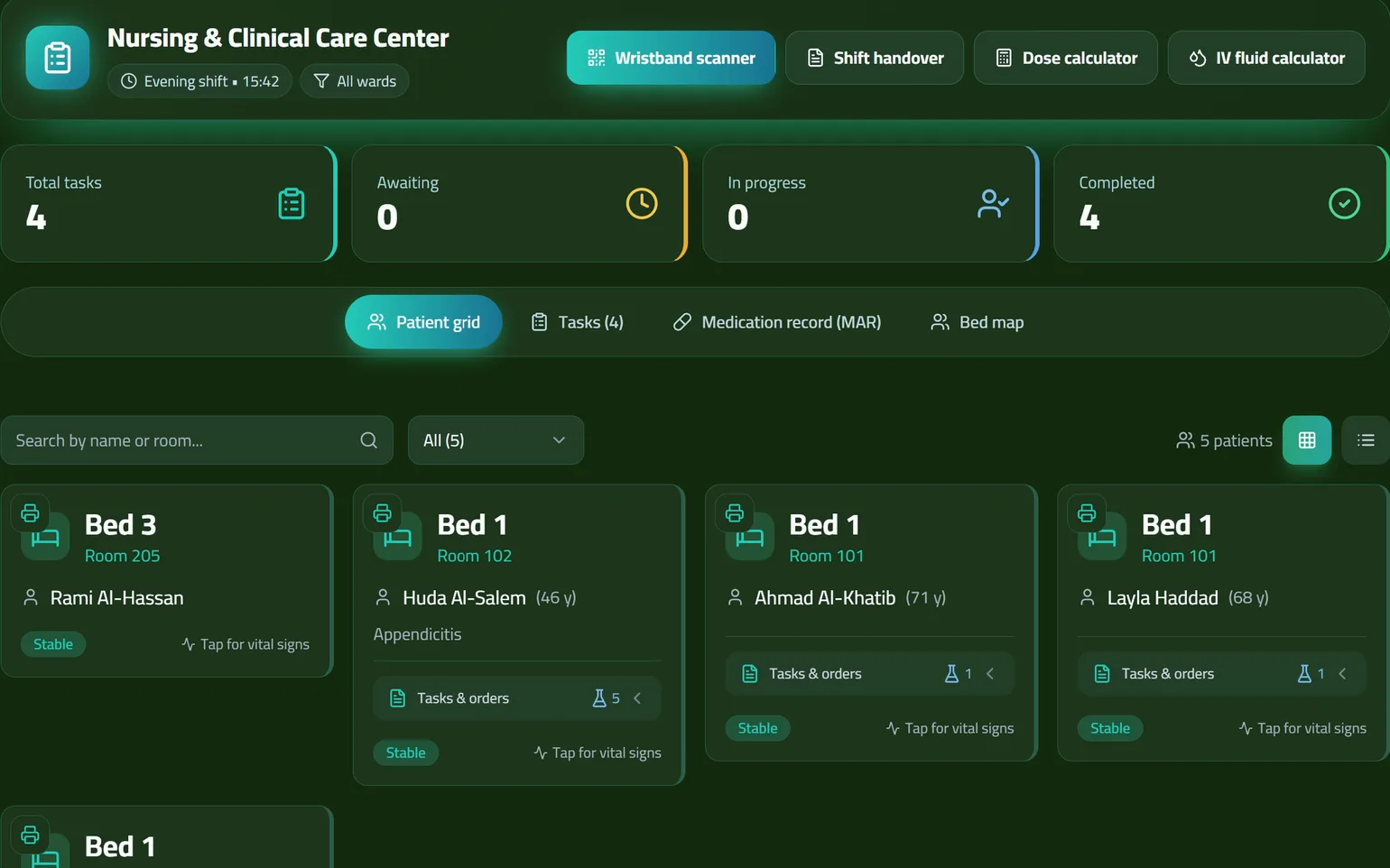
ClinivaSys turns the nursing station into a single workspace. The medication administration record (MAR) reminds nurses of every dose and won't record it until the patient's wristband has been scanned. Calculators cut out manual math at the bedside. Risk scores and vital signs reach the physician immediately. And at the end of the shift, a handover report is ready to print.
doses appear in the MAR at their scheduled times, and the medication entry is created automatically the moment a physician prescribes an immediate (STAT) dose, with no manual entry.
2
Reminder
the system alerts the nurse when a dose is due.
3
Wristband scan (BCMA)
the nurse scans the barcode on the patient's wristband, and the system verifies identity and allergies before administration.
4
Documentation
the dose is recorded with its actual status: given, postponed, or refused by the patient.
5
Closing the loop
a closed loop matches every medication dispensed by the pharmacy against every dose given.
Features in detail
Medication administration record (MAR)
A clear status for every dose: pending, given, postponed, refused by patient.
A dose cannot be recorded as "given" until the patient's wristband has been scanned and matched, so the medication does not go to the wrong patient.
Two-way sync between the medication record and the nursing task list.
Bedside calculators
A dose calculator that reduces medication calculation errors.
An IV fluid calculator that cuts out manual infusion math.
Doses that Clinical AI has already checked at prescribing and the pharmacy has reviewed before dispensing.
Risk assessment
The Morse Fall Scale for fall risk and the Braden Scale for pressure-ulcer risk.
Clinical AI reminders of preventive measures for at-risk inpatients.
Tracking of tubes and catheters from insertion to removal.
Vital signs
Vital signs recorded with a chart that shows how the patient's condition is trending.
They appear on the physician's chart as soon as they are recorded, and the system alerts on critical values.
Organizing the shift
Nurse dashboard at sign-in: the medications due during their shift and the tasks for their patients, with no searching.
Patient grid: inpatients and patients with active tasks on one screen.
Bed map showing where each patient is and the status of every bed in real time.
A nursing task list for each patient.
Recording of the consumables and medical supplies used for each patient, so they are charged to the patient's invoice.
Shift timer, with break and end-of-shift buttons at the top of the screen, so attendance is tied to actual work.
Shift handover
A print-ready handover report brings together each patient's status: medications, pending tasks and critical notes. No information gets lost between the outgoing and the incoming shift.
Full accountability
Every nursing action is logged in the clinical event log with the nurse's name and the time it was performed.
From prescription to bedside: a closed medication loop
Nursing does not work in isolation. Every dose passes through a connected chain of checks from physician to bedside:
Physician: writes the prescription, which Clinical AI checks instantly for allergies, interactions, and renal and pediatric dosing.
Pharmacy: reviews the prescription and dispenses unit doses to the ward from the "Inpatient & Wards" station.
Nursing: receives the reminder when the dose is due and scans the wristband before administration.
Matching: the system matches every dispensed medication against every dose given, in a closed loop that does not rely on memory.
Why does it keep working when the internet is down?
Because the medication record, vital signs and handover reports all live on the hospital's internal server, not in a cloud service. Nurses can scan wristbands and record doses at any hour of the night, whatever the state of the internet connection.
What each team gains
Nursing
a reminder for every dose, less manual calculation, and an organized shift handover instead of paper.
Physicians
vital signs on the chart the moment they are recorded, and alerts on critical values.
Pharmacy
matching between what was dispensed and what was actually given for each patient.
Management
complete documentation of every dose under the name of the person who gave it, and consumables that don't go missing from the invoice.
Frequently asked questions
Questions about this module
If you don't find your answer, message us directly.
We use only the cookies needed to run this website. Visitor analytics (Google Analytics) run only if you agree, and you can change your choice at any time.