
The live hospital map
- Floors, rooms and beds, with each room's equipment.
- The real-time status of every bed: occupied, free or being cleaned.
- Departments, rooms and beds defined once, during system setup.

Reception & Patients
Clinics & Doctors
Emergency & Surgery
Nursing & Inpatient
Lab & Radiology
Pharmacy & Warehouse
Finance & HR
Modules without a tag are in every packageHospital Hospital & ComprehensiveComprehensive Comprehensive Package
Answering "Is there a free bed?" can take several phone calls between reception and the wards while the patient waits in the corridor. Once the patient is admitted, the information scatters: the financial approval in one place, the bed in a logbook, and the days of stay counted by hand at discharge.
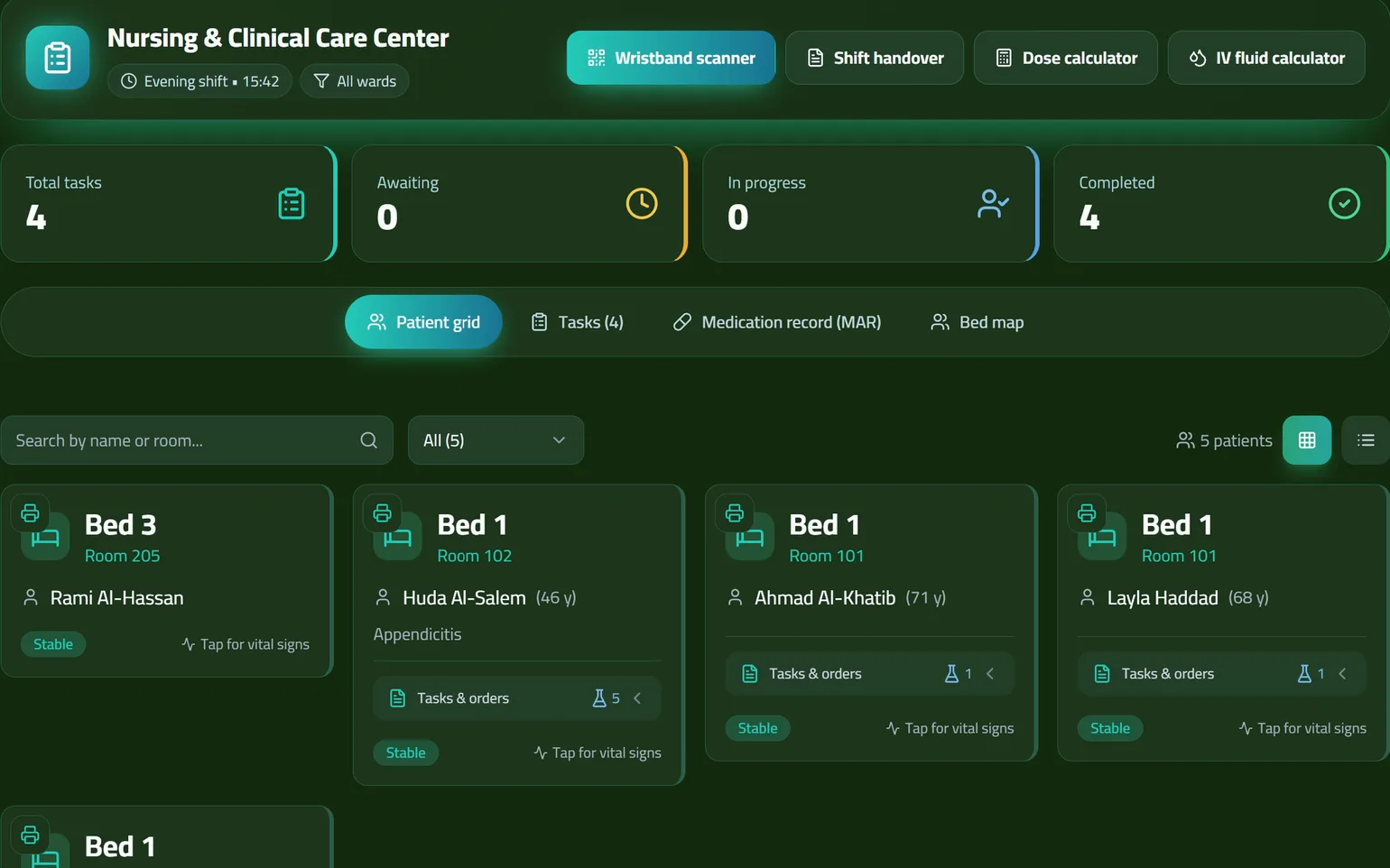
In ClinivaSys, the team sees the hospital as it is right now: floors, rooms, beds and each room's equipment on a live map. Admission follows clear stages, from request to financial approval to bed assignment. Discharge closes with a discharge summary and a gate pass, then a bed-cleaning timer starts so the bed is ready again for the next patient.
Works offlineOn a server inside your facility
an electronic admission request that reception follows from the "Inpatient, Beds & Discharge" tab.
through insurance, an advance payment, or deferred payment added to the invoice.
the bed is chosen from the live map, and an ID wristband showing the room and bed is printed for the patient.
nursing follows the patient from the bed map and the patient grid, and the days of stay are calculated and added to the invoice automatically.
discharge summary, take-home medications and follow-up appointment, a final invoice compiled automatically, then financial clearance and a gate pass.
the bed-cleaning timer starts automatically once the patient has left.
The bed occupancy rate, along with occupied, free and being-cleaned beds, appears in the Operations Command Center and updates automatically.
Because the bed map, admission requests and discharge summaries all live on the hospital's internal server, not in a cloud service. Patients can still be admitted and discharged at any hour, even if the internet line goes down, which is exactly what a hospital running around the clock needs.
a free bed visible on the map instead of phone calls, and an admission path with clear stages.
inpatients and discharged patients in two separate tabs in the Doctor Workstation, and a ward-round list ready in Patient Records.
every patient's location and every bed's status in front of them, and beds that come back ready on a clear timer.
financial approval before bed assignment, days of stay calculated automatically, and no discharge before clearance.
real-time occupancy in the Operations Command Center, without waiting for manual reports.
Frequently asked questions
If you don't find your answer, message us directly.
From the live map, which shows the status of every bed in real time: occupied, free or being cleaned.
Three stages: the admission request, then financial approval through insurance, advance payment or deferred payment, then bed assignment from the map.
Yes. The days of stay are calculated and added to the patient's invoice automatically, together with all the services the patient received.
No. Beds & Inpatient Management is available in the Hospital Package and the Comprehensive Package.
They work together in one system, and data moves between them automatically.
Our team shows it to you on screen, on the latest version of the system. Or request a 14-day on-site trial at your facility.
We use only the cookies needed to run this website. Visitor analytics (Google Analytics) run only if you agree, and you can change your choice at any time.