Doctor Workstation & Consultations: the patient record and the clinical decision on one screen
Doctors spend much of their time moving between paper and screens: a lab result in one place, a radiology report in another, and a prescription written by hand, then passed on to the pharmacy and billing. When they need a colleague's opinion from another department, the request gets lost between phone calls and corridors, and no one knows when the answer will come.
The ClinivaSys doctor workstation brings all of this into one place. The doctor calls the next patient with a click, sees the full record, and writes notes, prescribes and orders tests from the same screen. Every order reaches its department in real time, and its cost is added to the invoice automatically. Consultations run in a closed loop: a request with a clear priority, documented acceptance, and a reply that returns to the patient's record.
the doctor sees their queue sorted by priority and calls the next patient with one button.
2
Open the workstation (F4)
the full record appears: allergies, current medications, previous results and vital signs.
3
Documentation
a SOAP note, typed or dictated, and a diagnosis from an ICD-10 library sorted by the clinic's specialty.
4
Orders and prescription
lab tests, imaging and prescriptions in a click, with STAT priority for urgent cases. Clinical AI checks the prescription before it is approved.
5
Closing the visit
invoice items transfer automatically, and results later return to the screen of the doctor who ordered them.
Features in detail
Structured clinical documentation
SOAP notes for every visit, kept as a documented reference for future visits.
ICD-10-coded diagnoses linked to the patient's medical record.
Voice dictation of notes, converted into text, instead of typing them out letter by letter.
One-click prescriptions and orders
Three prescription types: hospital pharmacy, external prescription, and an immediate dose given at the bedside.
Lab tests and imaging ordered directly from the patient screen, with urgent STAT priority.
Allergy and drug-interaction checks before any prescription is approved, by Clinical AI running on the hospital server.
Invoice items are generated automatically when a test, imaging study or medication is ordered, so no revenue is lost.
Results and alerts that reach the doctor
Lab and imaging results return automatically to the ordering doctor, with no manual follow-up.
A pulsing red alert with sound for critical lab results that require immediate action.
Instant notification of emergency cases from reception the moment they arrive.
A dedicated "Smart Alerts" tab within the workstation.
Follow-up tabs for all of the doctor's patients
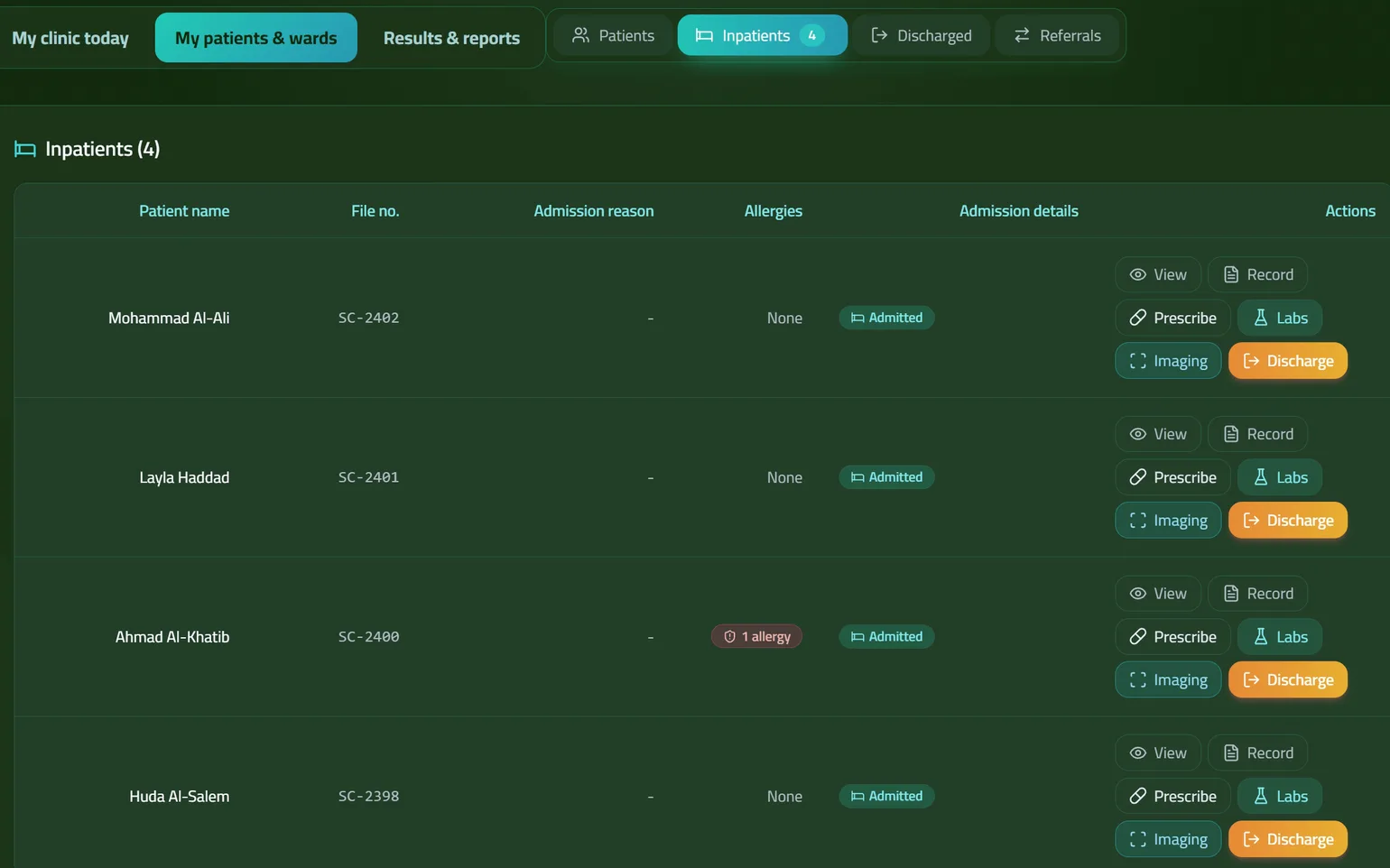
Inpatients, discharged patients, laboratory, radiology, patient notifications, smart alerts, referrals and medical reports. The doctor sees the status of every order for every patient from one place.
Ready-made medical reports
Reports filled in automatically from patient data and printed on hospital letterhead with a QR code for verification.
Once approved, a report is locked as read-only, protecting medical accountability.
Clinic door screen · Comprehensive Package
With one click, the doctor turns on a screen on the clinic door that shows the current and next patient, with the option to display numbers instead of names for privacy. It is part of the waiting screens, available in the Comprehensive Package only.
Closed-loop consultations
A consultation request doesn't end when it is sent. The system follows it until the reply is documented in the patient's record:
1
Four priority levels
STAT emergency, pre-operative, urgent and routine.
2
Acceptance
the consulting doctor claims the request with "Accept and start examination" or "Accept only", so two doctors never reply to the same request.
3
Reply or transfer
the consultant writes a reply that returns, documented, to the patient's record, or transfers the consultation to another department.
4
Delay tracking
a response timer for each consultation, an audible alert, and highlighting of consultations overdue by more than 15 minutes.
5
Response-time reports
they measure how quickly consultations are answered, so management knows where medical opinions are being delayed.
What each team gains
Doctors
the full record on one screen, less typing thanks to voice dictation, and results that reach them without chasing.
Consulting doctors
requests with a clear priority, an acceptance step that prevents duplicated work, and one-click transfer to the right department.
Patients
a faster visit, a prescription checked before it reaches the pharmacy, and a specialist's opinion at the right time.
Management
revenue that doesn't slip through the cracks between departments, response-time reports, and medical reports locked once approved.
Frequently asked questions
Questions about this module
If you don't find your answer, message us directly.
Yes. The doctor dictates the notes, and the system converts them into text in the patient's record.
What happens if a consultation reply is late?
Each consultation has a response timer, an audible alert sounds, and consultations overdue by more than 15 minutes are highlighted. Response-time reports measure how quickly replies come in.
Do orders reach the departments and the invoice automatically?
Yes. Every test, imaging study or medication the doctor orders reaches its department in real time, and its cost is added to the patient's invoice.
Is the doctor workstation available in all packages?
Yes. Doctor Workstation & Consultations is available in the Clinics Package, the Hospital Package and the Comprehensive Package.
Related modules
They work together in one system, and data moves between them automatically.
We use only the cookies needed to run this website. Visitor analytics (Google Analytics) run only if you agree, and you can change your choice at any time.