
Four clear workstations
The lab organizes work into four workstations, so every technician knows where to find their tasks:
- Sample testing bench.
- Validation & critical values.
- Archive, reports & delivery.
- Quality control, analyzers & blood bank.

Reception & Patients
Clinics & Doctors
Emergency & Surgery
Nursing & Inpatient
Lab & Radiology
Pharmacy & Warehouse
Finance & HR
Modules without a tag are in every packageHospital Hospital & ComprehensiveComprehensive Comprehensive Package
In the lab, minutes are lost to an unclear order, an unlabeled tube, or a critical result waiting for someone to call the physician. Any error in sample identification or delay in reporting goes straight to the patient's bedside. The ClinivaSys lab links order, sample and result in one documented workflow. The physician's order arrives instantly, every tube carries a label with a QR code and barcode, and the technician works on a single workbench from receipt to validation.
The lab runs on the hospital's server, so it doesn't stop when the internet goes down. Results are automatically compared with reference ranges by age and sex, abnormal and critical values are flagged, and no result is released before two-step verification in line with ISO 15189.
Works offlineOn a server inside your facility
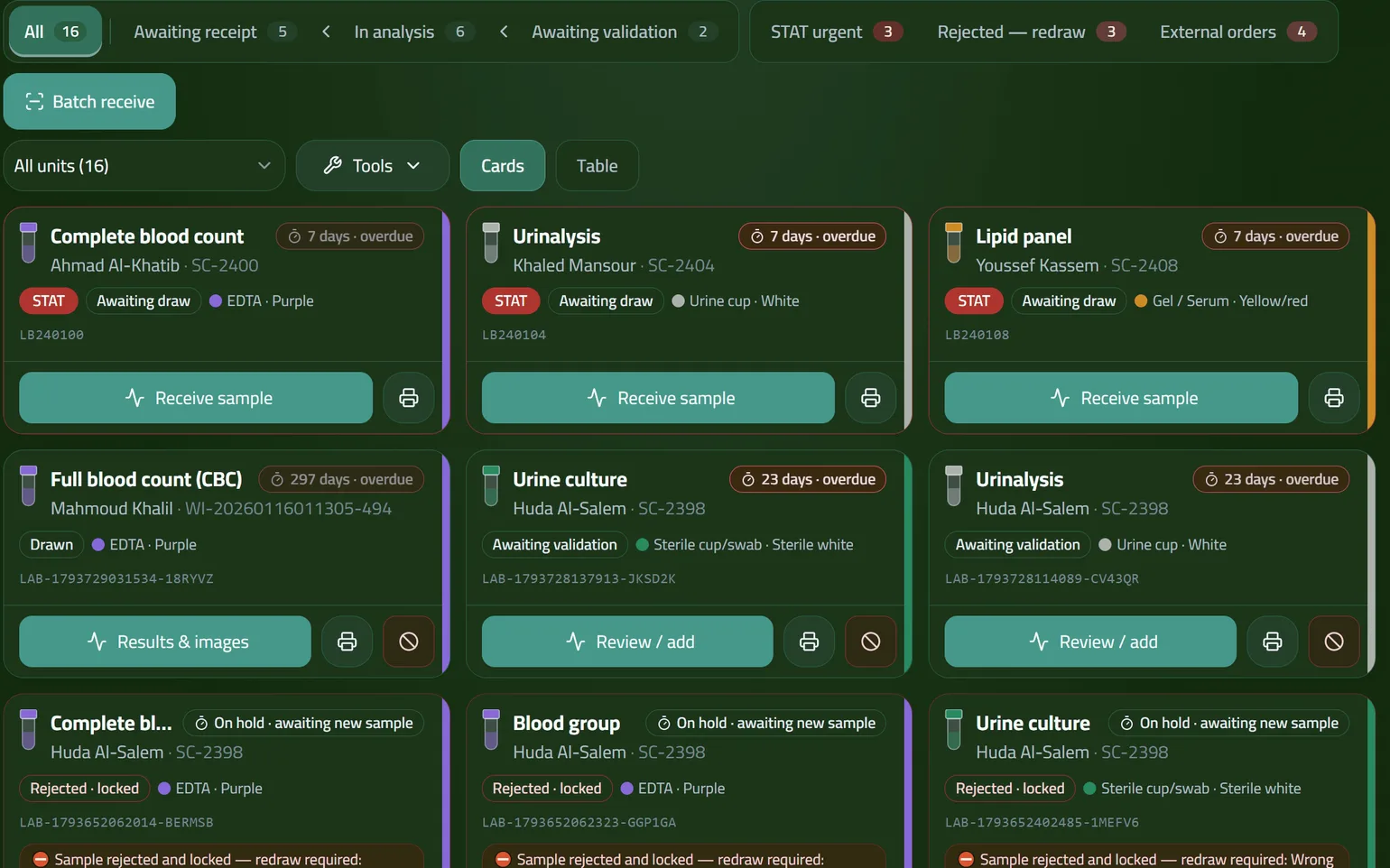
the physician orders the test from their workstation, and it lands on the lab worklist sorted by priority, with a separate queue for STAT orders.
each tube gets a printed label with a QR code and barcode. The technician receives samples by scanning, one at a time or in batch receipt, and can use a phone camera to scan.
results are entered with reference values and units, or imported from analyzers, then compared with the patient's previous result.
the result is reviewed and then validated, and notification of the physician is documented for every critical value.
the result goes back to the ordering physician in the patient record, the report is printed on the hospital's letterhead, and it reaches the patient in MyHealth if it has been activated for them.
The lab organizes work into four workstations, so every technician knows where to find their tasks:
The blood bank appears in the lab's fourth workstation, including blood grouping and unit management. It also has its own complete module, with inventory, donors and bedside transfusion. Details are on the Blood Bank & Transfusion page.
one workbench, scanning instead of handwriting, and an urgent queue that stays separate from routine work.
the result in the patient record as soon as it is validated, and documented notification of every critical value.
Westgard rules, a QC log and two-step validation, with a written trail for every amendment.
turnaround-time and delayed-sample indicators, and billing where no test is forgotten.
Frequently asked questions
If you don't find your answer, message us directly.
Yes. No result is released before two-step verification, Westgard rules are applied for quality control, and every later amendment to released results is logged.
Yes, by connecting lab instruments to the system, which is available in the Hospital and Comprehensive packages. Manual result entry remains available.
Its receipt is locked, the reason is recorded, and a new sample is requested under a new code, so the rejected sample cannot be mixed up with the new one.
Yes. External orders are registered without opening a full record, and can be converted into a patient record with one click when needed.
They work together in one system, and data moves between them automatically.
Every blood unit tracked, from donor to patient bedside
Every prescription checked before it reaches the patient
The patient record and the clinical decision on one screen
Every study safe and documented, from order to report
Our team shows it to you on screen, on the latest version of the system. Or request a 14-day on-site trial at your facility.
We use only the cookies needed to run this website. Visitor analytics (Google Analytics) run only if you agree, and you can change your choice at any time.